I personally tested both official ways to buy tickets—the official website and the WeChat mini-program.
The ticket price is the same, but the actual buying experience isn't.
The official website requires a Chinese character CAPTCHA, and payment redirects you to a separate payment page. The WeChat mini-program is a bit simpler, but only if you're already using WeChat and can use WeChat Pay.
I went through the entire process myself, including filling in passport info, choosing a visiting time slot, completing payment, and checking the final order.
So foreign tourists can absolutely buy tickets on their own through the Sanxingdui Museum's official channels. It's just that the whole process isn't as simple and straightforward as you might imagine.
Official Website + WeChat Mini-Program Dual-Channel Illustrated Guide · For Foreign Tourists · Guanghan, Sichuan
Sanxingdui is one of the hardest museum tickets to book in China, and buying through third-party platforms can't guarantee smooth entry. The museum officially offers two legitimate booking channels—the official website (www.sxd.cn) and the official WeChat mini-program. Both have the same ticket inventory and the same price, and both support an English interface. This article uses real screenshots to demonstrate each route separately, so whether you prefer a computer or a phone, you can follow along and buy tickets successfully.
Quick Info Cheat Sheet
| Item | Details |
| Official Channels | ① Official Website https://www.sxd.cn (ticketing system guanwang.sxd. cn) ② WeChat mini-program "Sanxingdui Museum" |
| Ticket Price | ¥72 RMB (Normal Fare, including tax and other fees) |
| Visiting Time Slots | 08:30–12:00 Morning Session | 12:01–18:00 Afternoon Session | 18:01–20:00 Evening Session (subject to date) |
| Opening Hours | 08:30 | 17:00 Last Entry | 18:00 Closing |
| Closed Days | Closed only on Chinese New Year's Eve for one day; open as usual the rest of the time (except for temporary announcements) |
| Entry Document | Original ID (passport) required for ticket check and entry; photocopies or photos may not be accepted |
| Inquiry Phone | 0838-5533333 (staffed service 08:30–18:00) |
Which one should you use?
| Feature | Official site (desktop or mobile browser) | WeChat Mini Program |
| Logging in | Email + email code | Opens straight inside WeChat, no login needed |
| Language | Can switch to English | Can switch to English |
| Payment | Scan with WeChat/Alipay, or pay by online banking | WeChat Pay |
| People per booking | Just enter however many you actually are | Max 5 people |
| CAPTCHA | There's a click-the-Chinese-characters CAPTCHA (the tricky part for foreign visitors) | No CAPTCHA |
| Best for | People who like doing things on a computer and already have Alipay, WeChat and other payment apps installed | Doing it on your phone, with WeChat already installed (easier for most people) |
Option 1: The official website
Step 1 — Open the site and switch to English
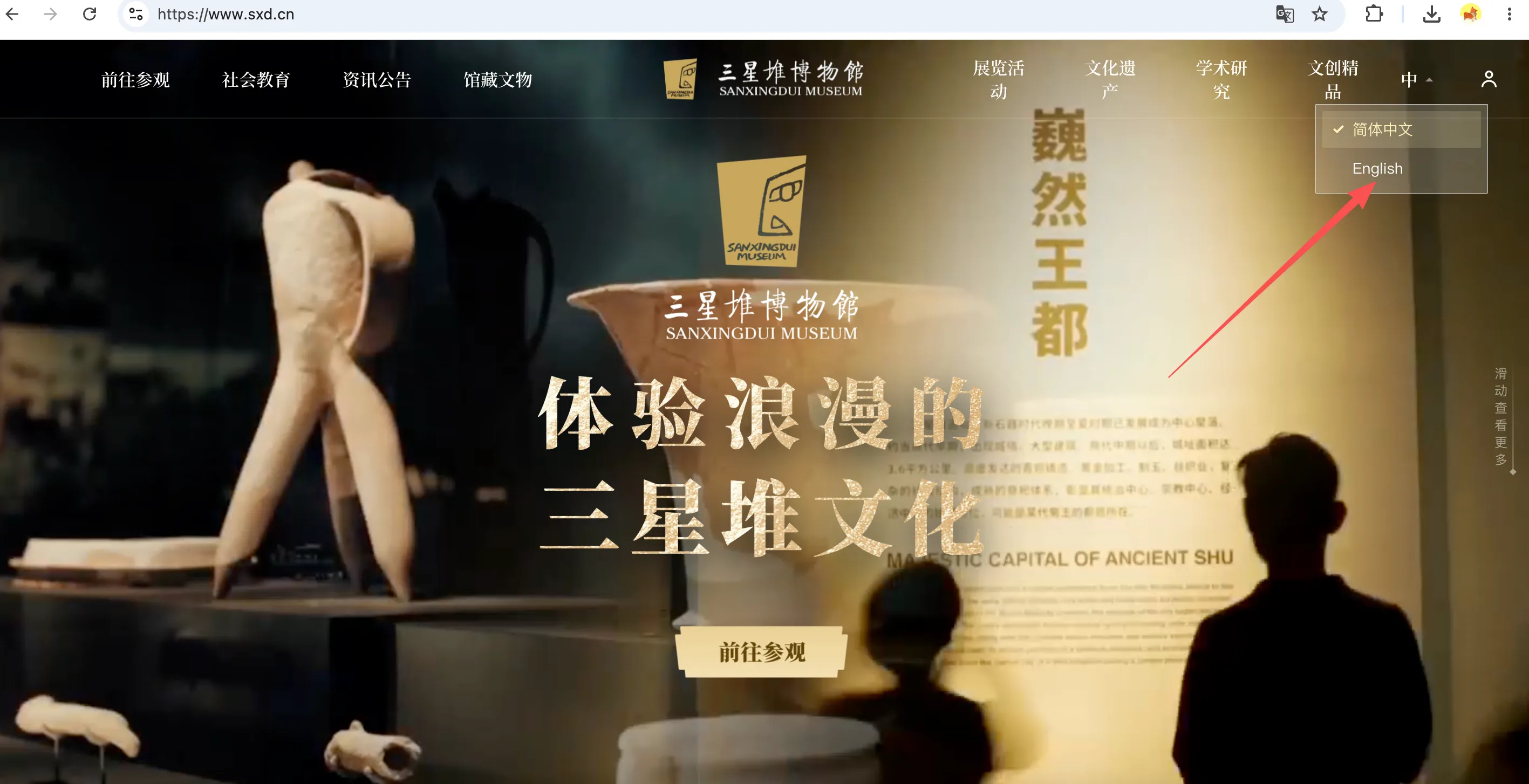
Open https://www.sxd.cn in your browser. The site comes up in Chinese by default. Click the "中" language toggle in the top right and choose English — from then on the whole booking process is in English.
Step 2 — Go to Visit → Ticket Reservation
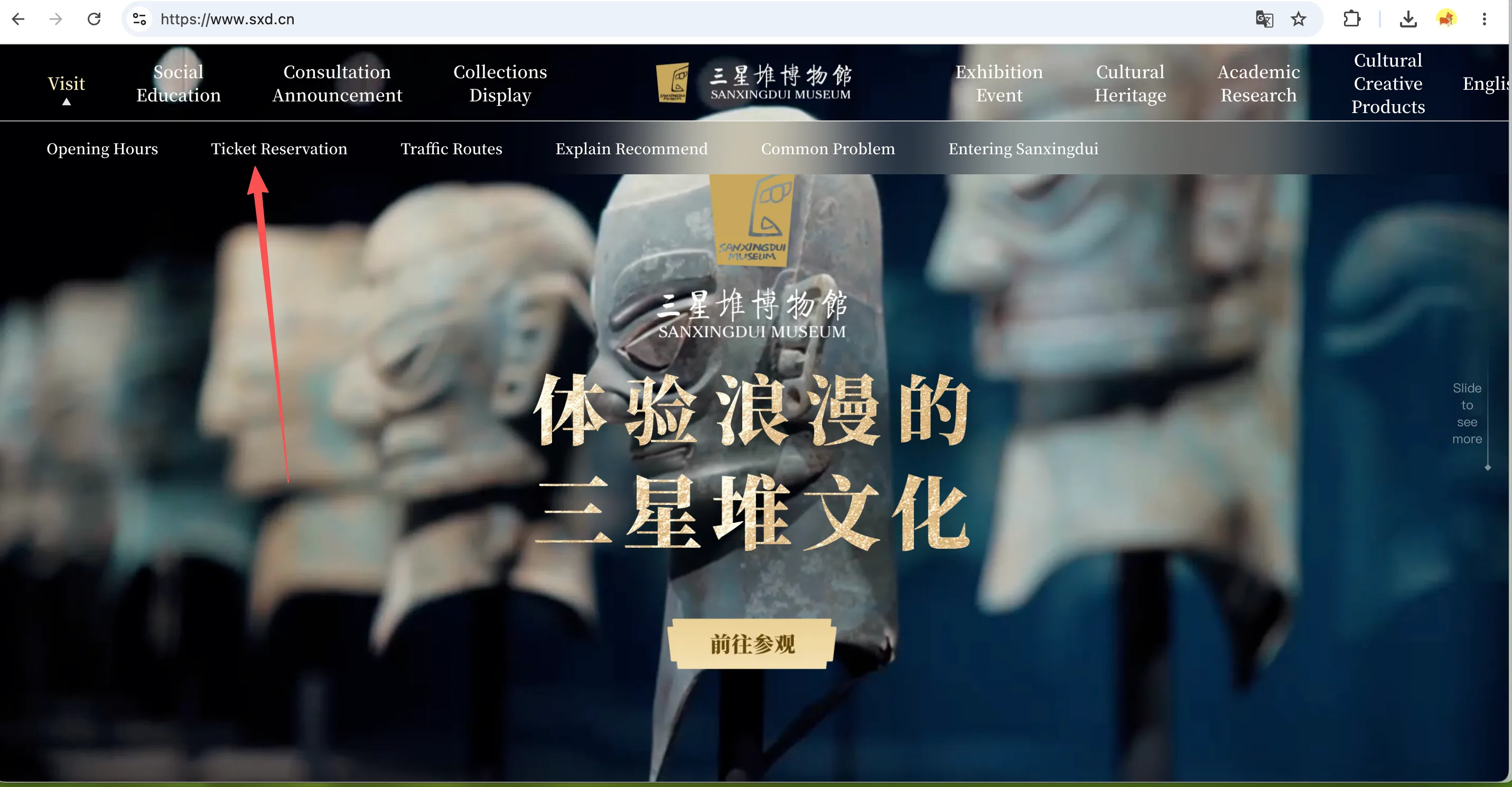
Click Visit in the top menu bar, then pick Ticket Reservation from the dropdown.
Step 3 — Pick your booking option
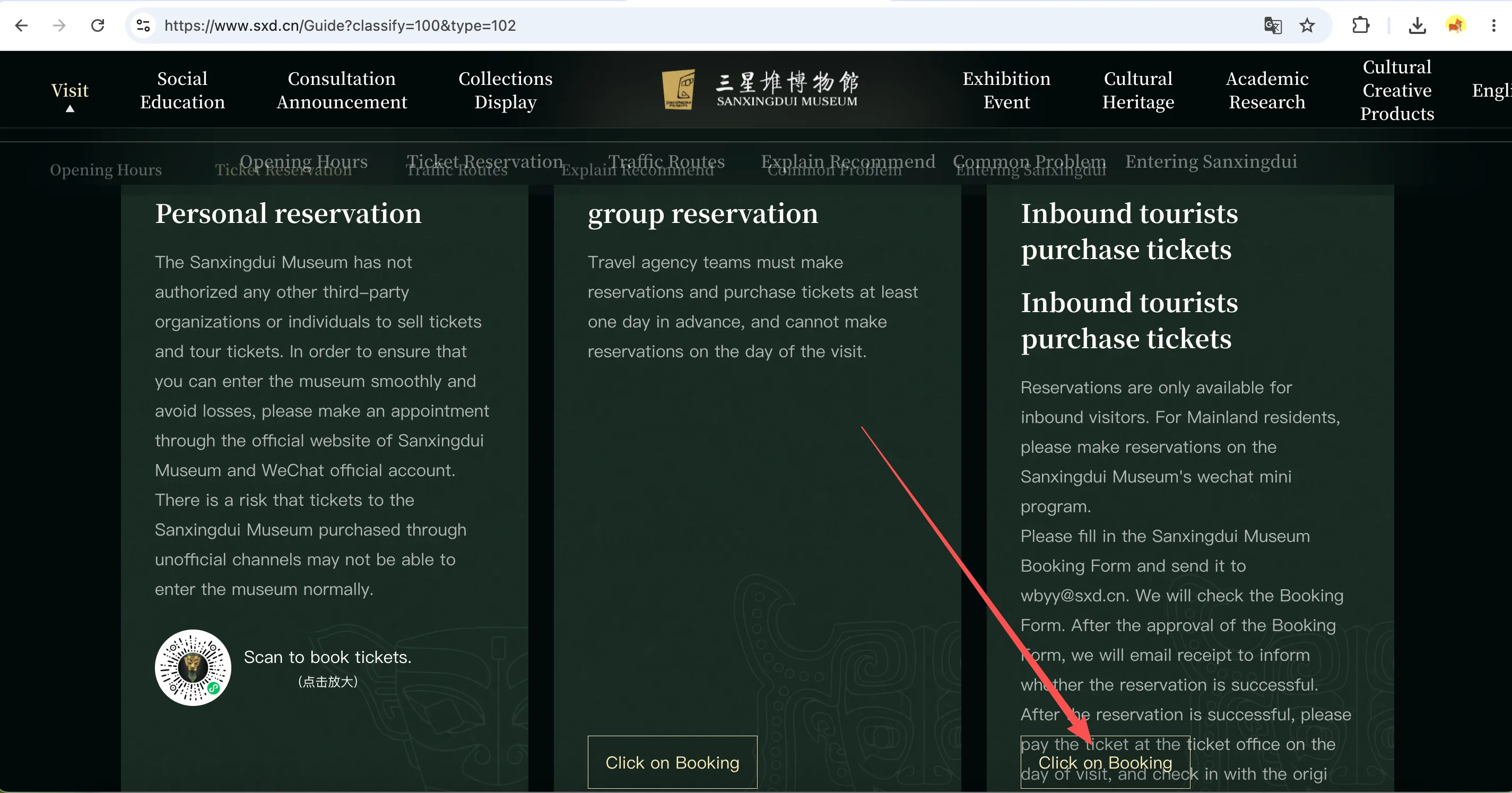
The booking page gives you three options. Individual visitors should click the "Click on Booking" button under Personal reservation:
- Personal reservation — for individual visitors, book through the official website or the WeChat official account;
- Group reservation — travel agencies only, and you have to book at least one day ahead. No same-day bookings;
- Inbound tourists — offline: fill in the Booking Form and send it to [email protected]. Once it's approved, you'll get an email. Pay at the ticket office on the day of your visit and show your ID to get in.
Step 4 — Log in with your email
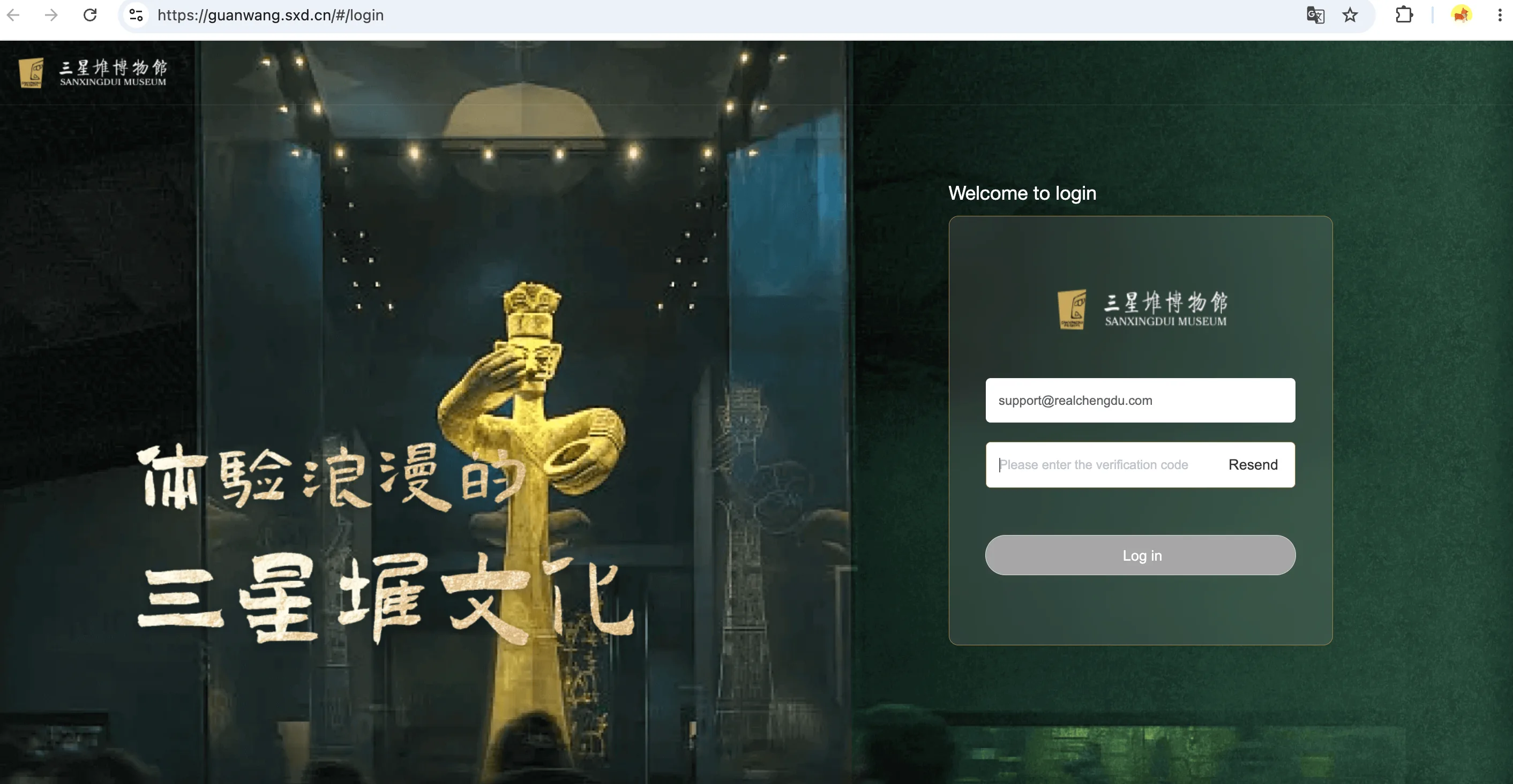
You'll be taken to the ticket login page (guanwang.sxd.cn). Enter your email address, click Resend/Send to get a verification code, check your inbox, enter the code, and hit Log in. No password, no Chinese phone number needed — just an email.
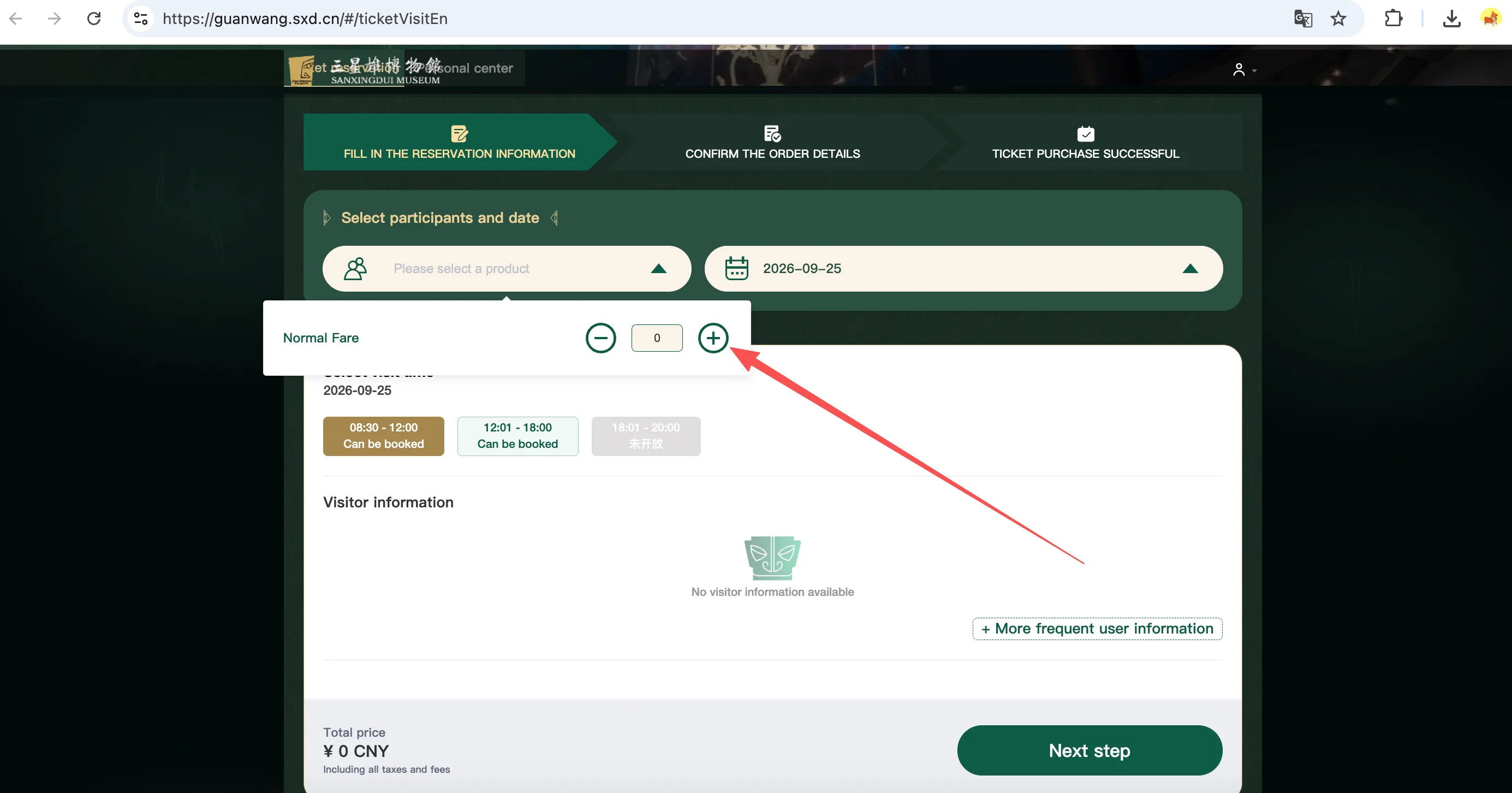
Step 5 — Pick your date, ticket type, and time slot
Choose your visit date on the calendar, click the ticket selection box, and use the + button to add the number of Normal Fare tickets you need (¥72 each). Then pick your entry time below:
- 08:30 – 12:00 (morning)
- 12:01 – 18:00 (afternoon)
- 18:01 – 20:00 evening session — depending on the date, this shows as 未开放 / "not open"
Step 6 — Fill in visitor details
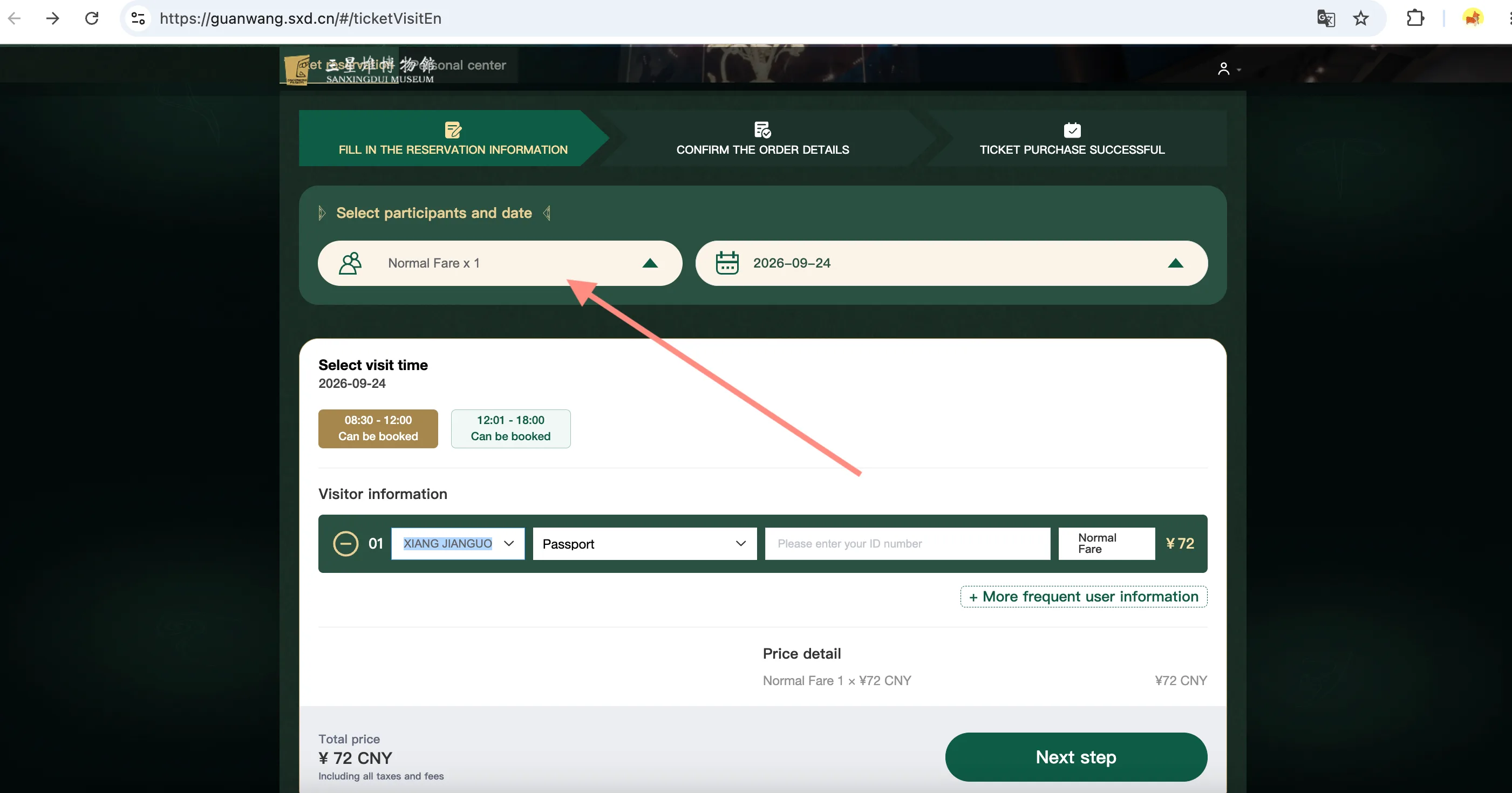
Click "+ More frequent user information" and fill in the following for each visitor: name (must match your passport), ID type — select Passport, and passport number. When you're done, click Next step.
Step 7 — Confirm your order and contact email
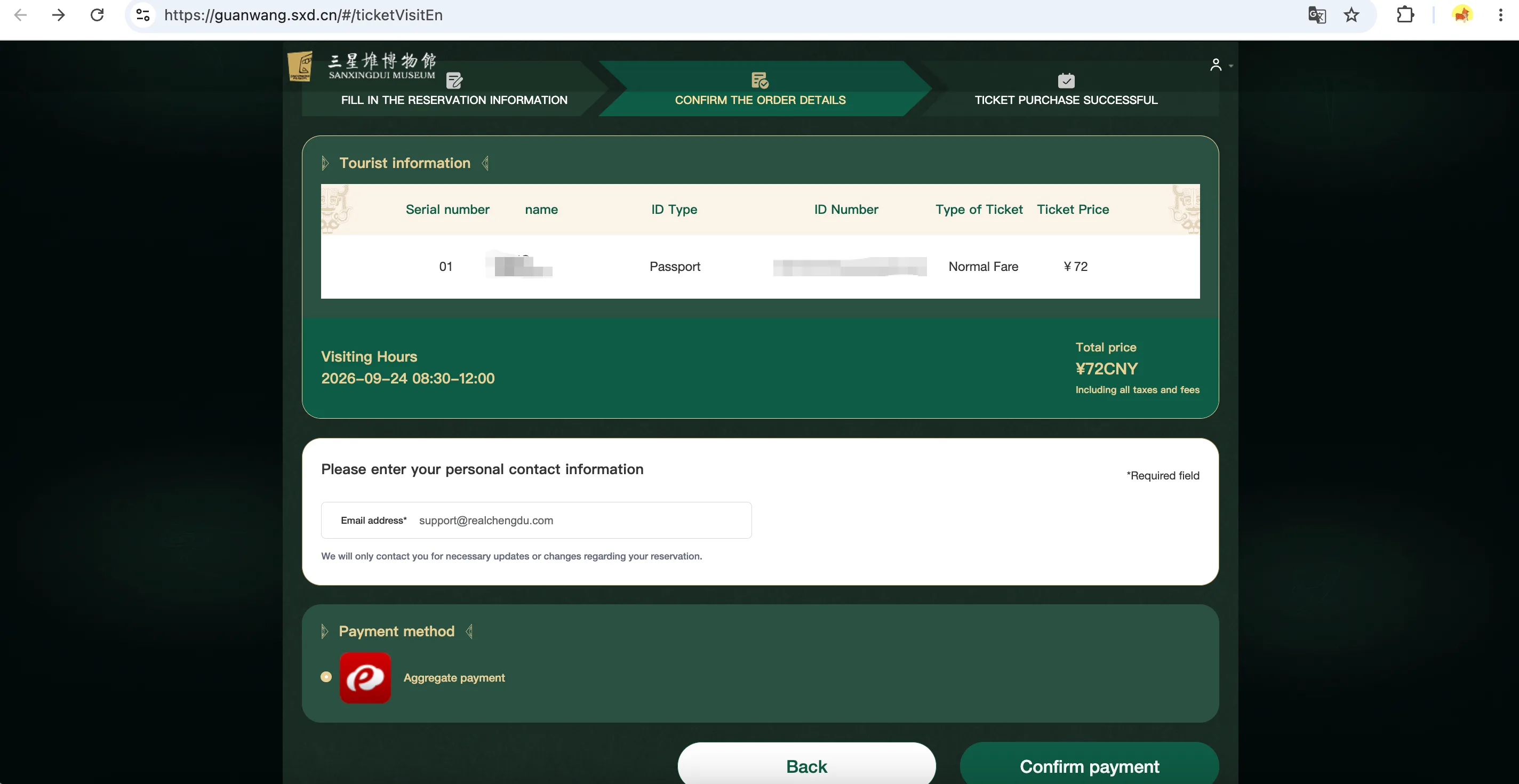
Check the visitor details and total price (¥72 RMB per person, tax and other fees included), make sure the Email address field is filled in correctly (that's where booking change notifications will be sent), select Aggregate payment as your payment method, and click Confirm payment.
Step 8 — Pass the Chinese character CAPTCHA
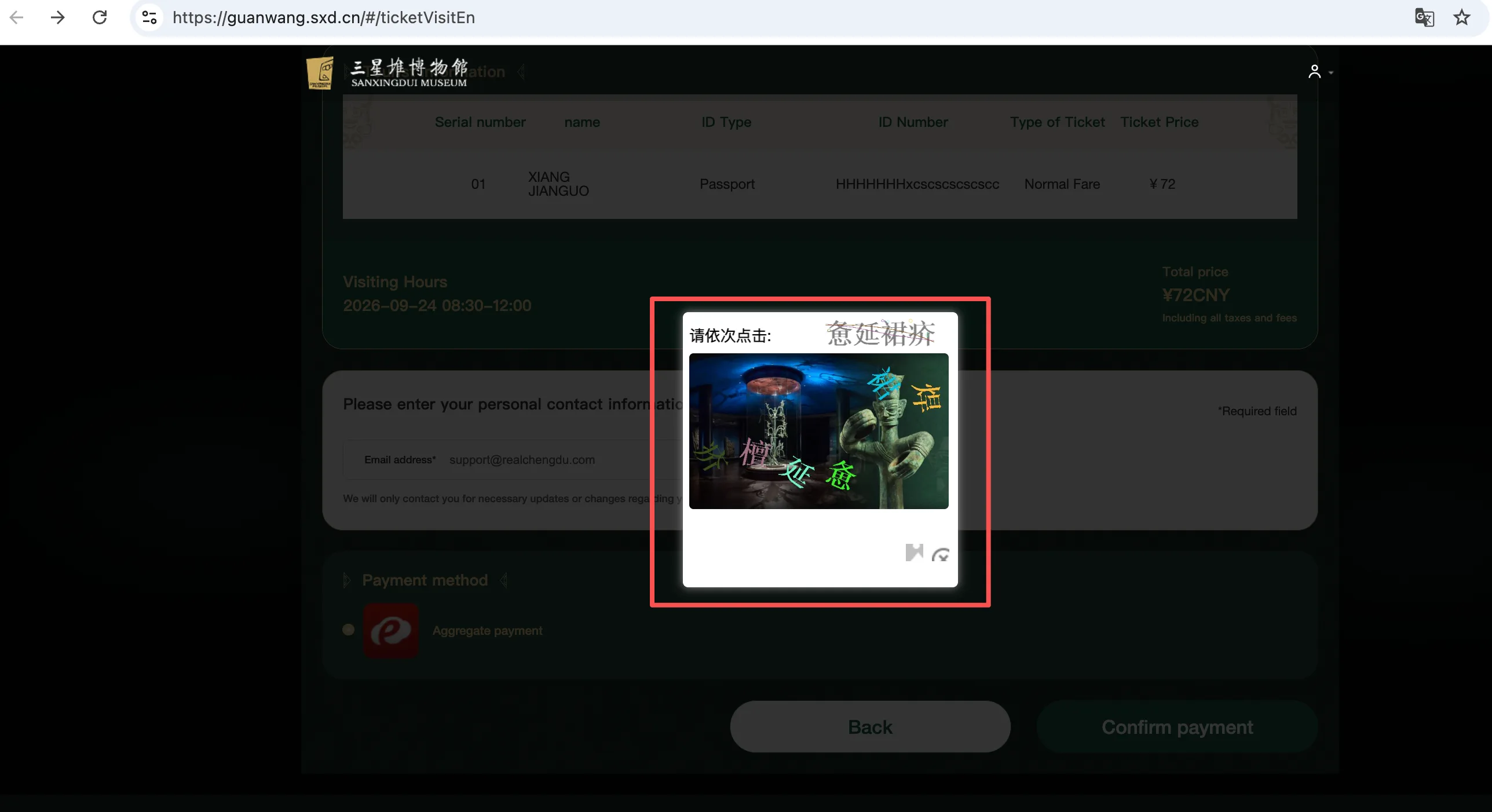
After you submit, a verification window pops up saying "Match the same Chinese characters". Following the order of the characters shown at the top of the window, click the matching characters in the image from left to right. If you can't make them out, hit the refresh icon for a new set.
Step 9 — Pay by QR code
You'll be taken to the ICBC payment page (merchant name: Sanxingdui Museum). The easiest way: scan the QR code on the left with WeChat (version 5.0 or above) or Alipay, then just confirm the RMB 72.00 payment on your phone. You can also pick "Online Banking Payment" and pay with a UnionPay card.
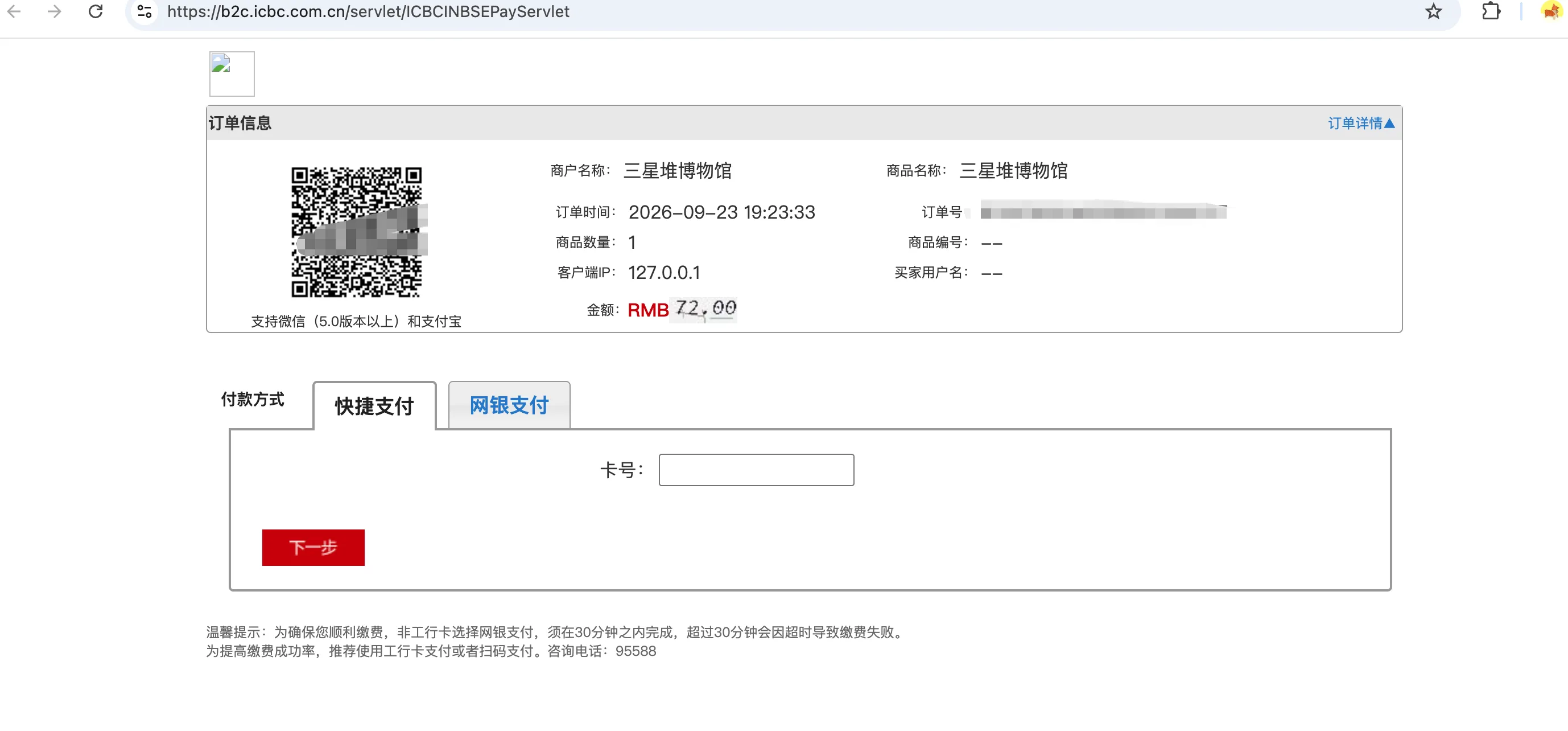
30-minute time limit: If you're paying through online banking with a non-ICBC card, you have to finish within 30 minutes, or the payment fails. Paying by QR code (WeChat or Alipay) is the way to go — faster and more reliable.
Once the payment goes through, the page will show TICKET PURCHASE SUCCESSFUL, and your e-ticket will be sent to your email.
Option 2: Buy tickets in the WeChat Mini Program (7 steps)
Step 1 — Open the official Mini Program
Any one of these three ways works:
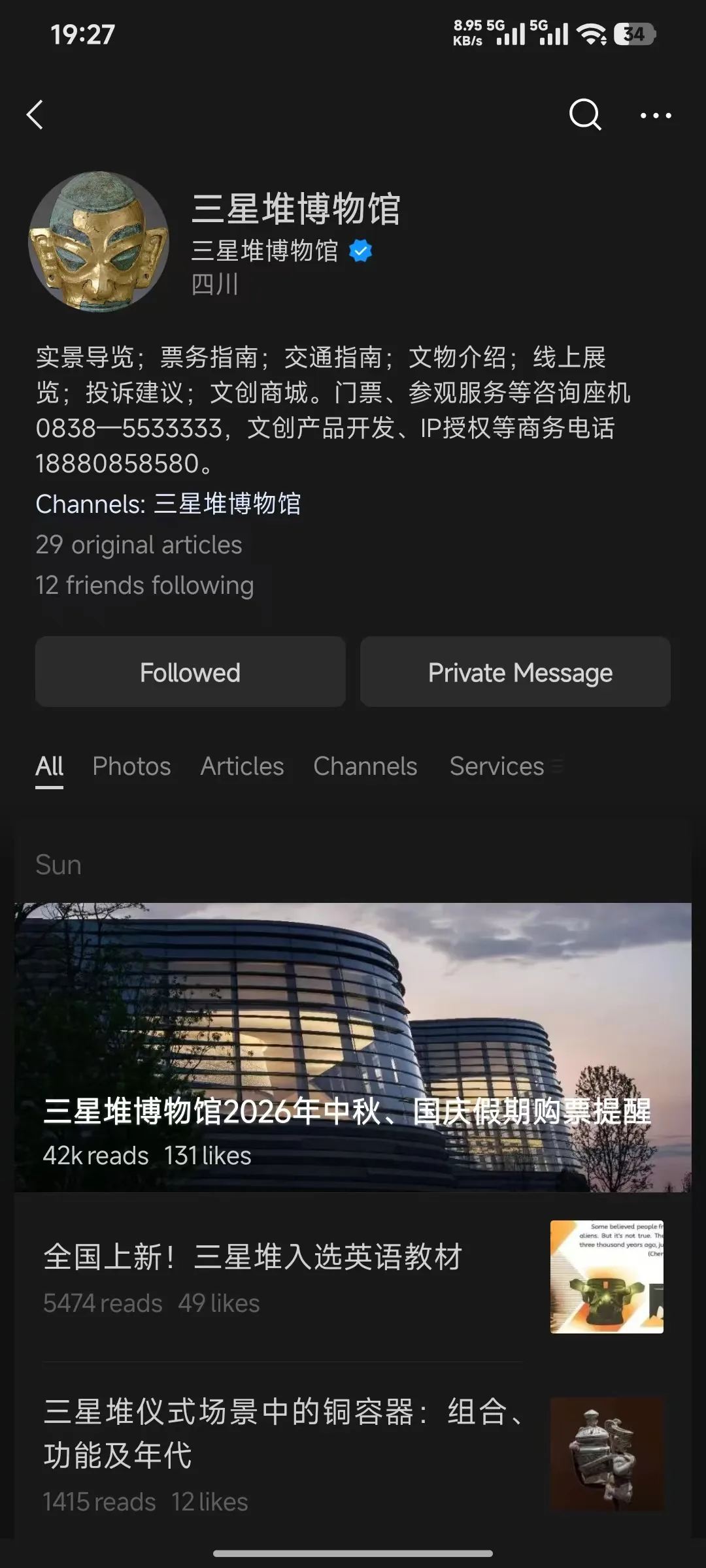
- Search on WeChat: Search for "Sanxingdui Museum" in WeChat and look for the official account with the blue V verification and "Sichuan" as the account entity (the avatar is a golden mask). Follow it, then open the Mini Program from the account's menu;
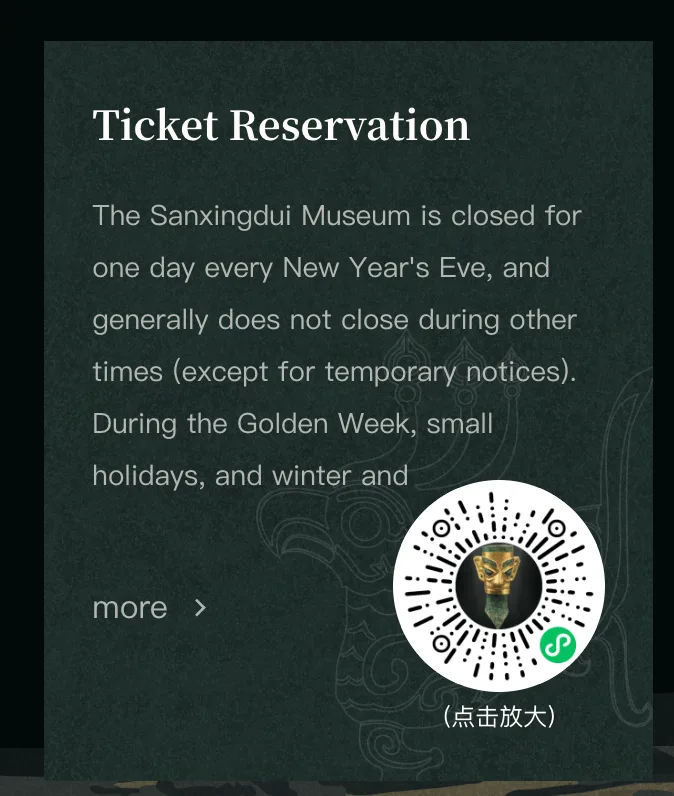
- Scan the mini program code: Save the code below and scan it with WeChat to open it directly;

- From the official website: Open the Ticket Reservation page at sxd.cn — the mini program code is in the bottom right corner, with a "click to enlarge" option.
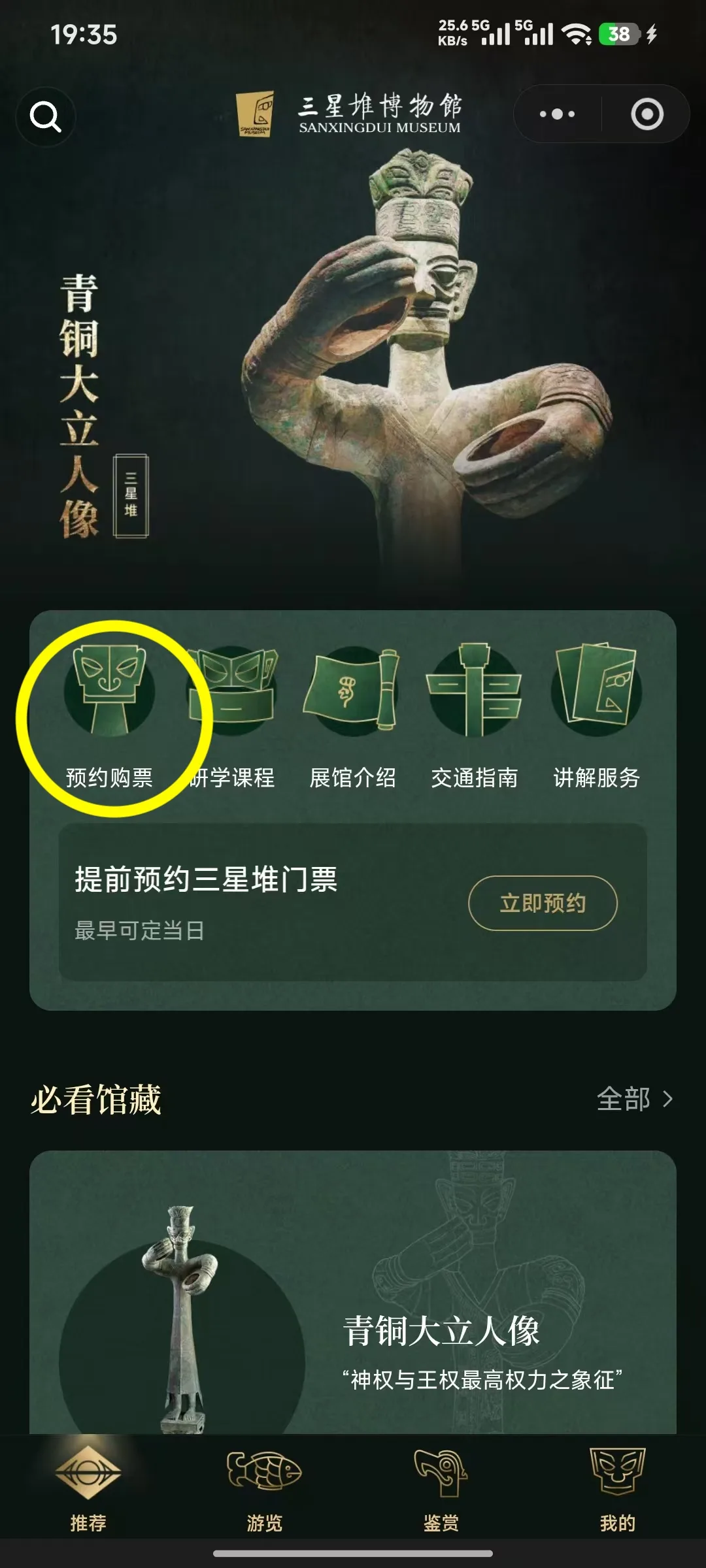
- WeChat mini program landing page: Click https://mp.weixin.qq.com/
- miniprogram/landing_page/YBIiraJQ8gO-veomtf20m4Tc/en
Step 2 — Switch to the English interface and go to individual booking
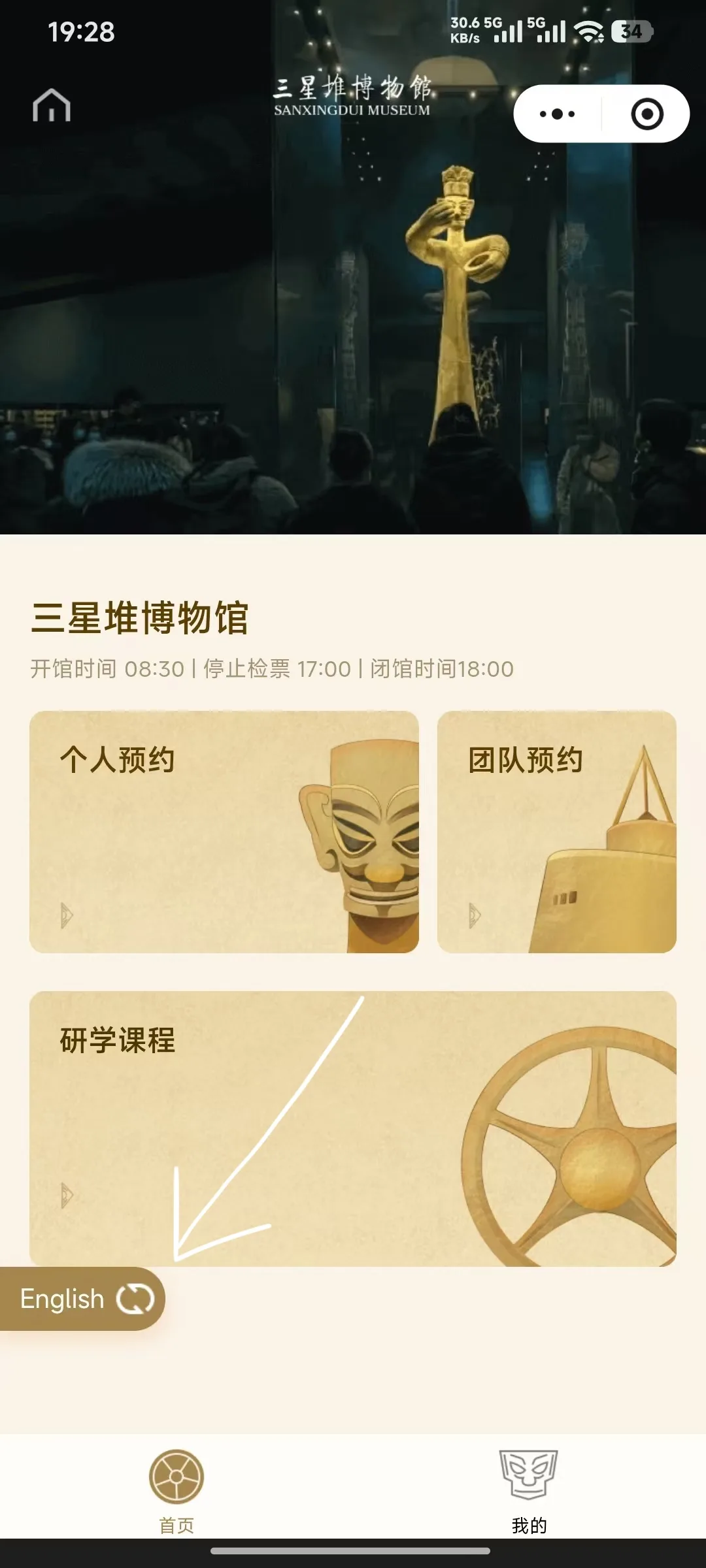
The mini program home page shows three options: Individual Booking, Group Booking, and Study Programs. Independent visitors tap "Individual Booking". There's an "English" toggle in the bottom left corner — tap it and the whole ticket-buying process switches to English (the screenshots show the English version).
Step 3 — Read the booking notice
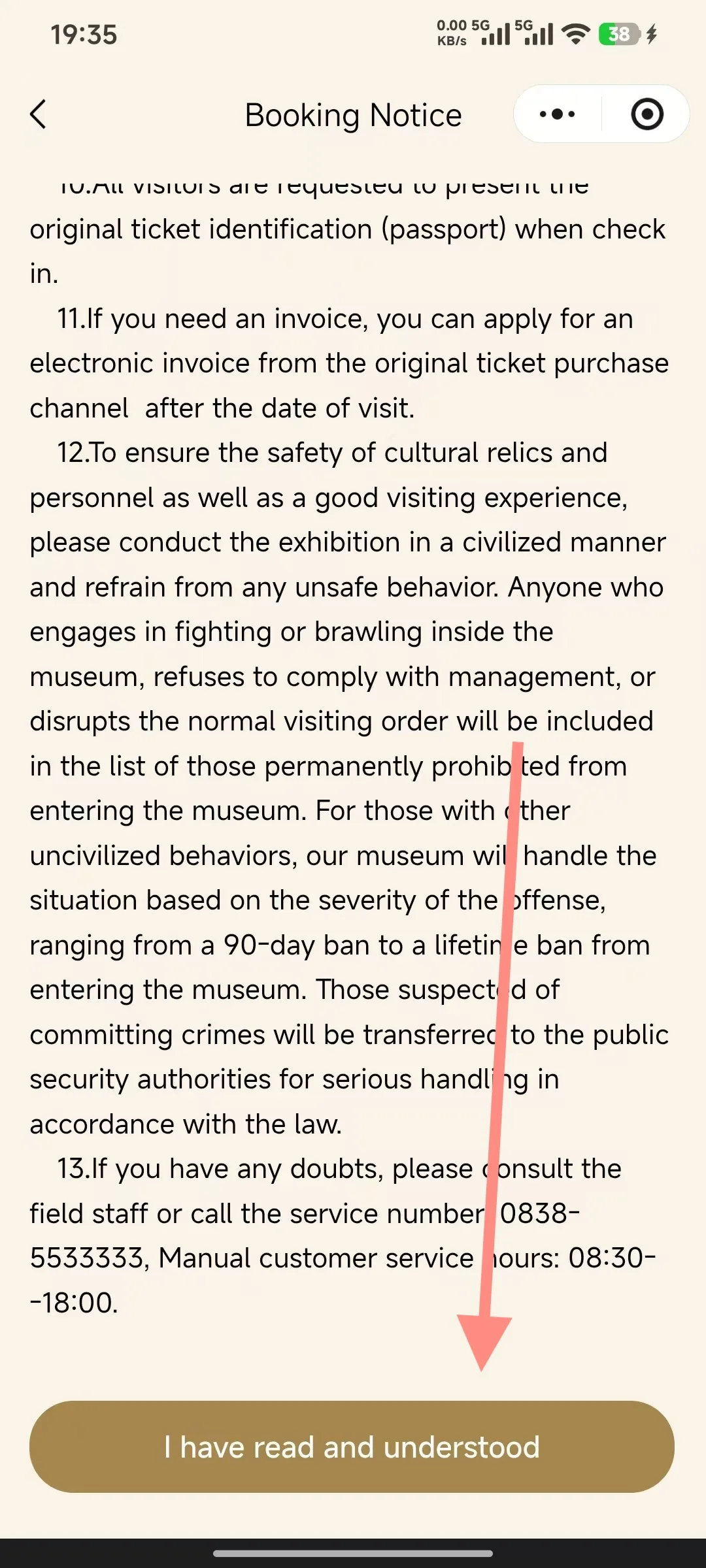
When you buy tickets for the first time, a Booking Notice pops up. It covers things like: you must show your original ID (passport) to get in; you can request an e-invoice after your visit date; and bad behavior can get you barred from the museum (from 90 days up to a lifetime ban). Scroll to the bottom of the page and click "I have read and understood" to get to the tickets.
Step 4 — Pick your date and time slot
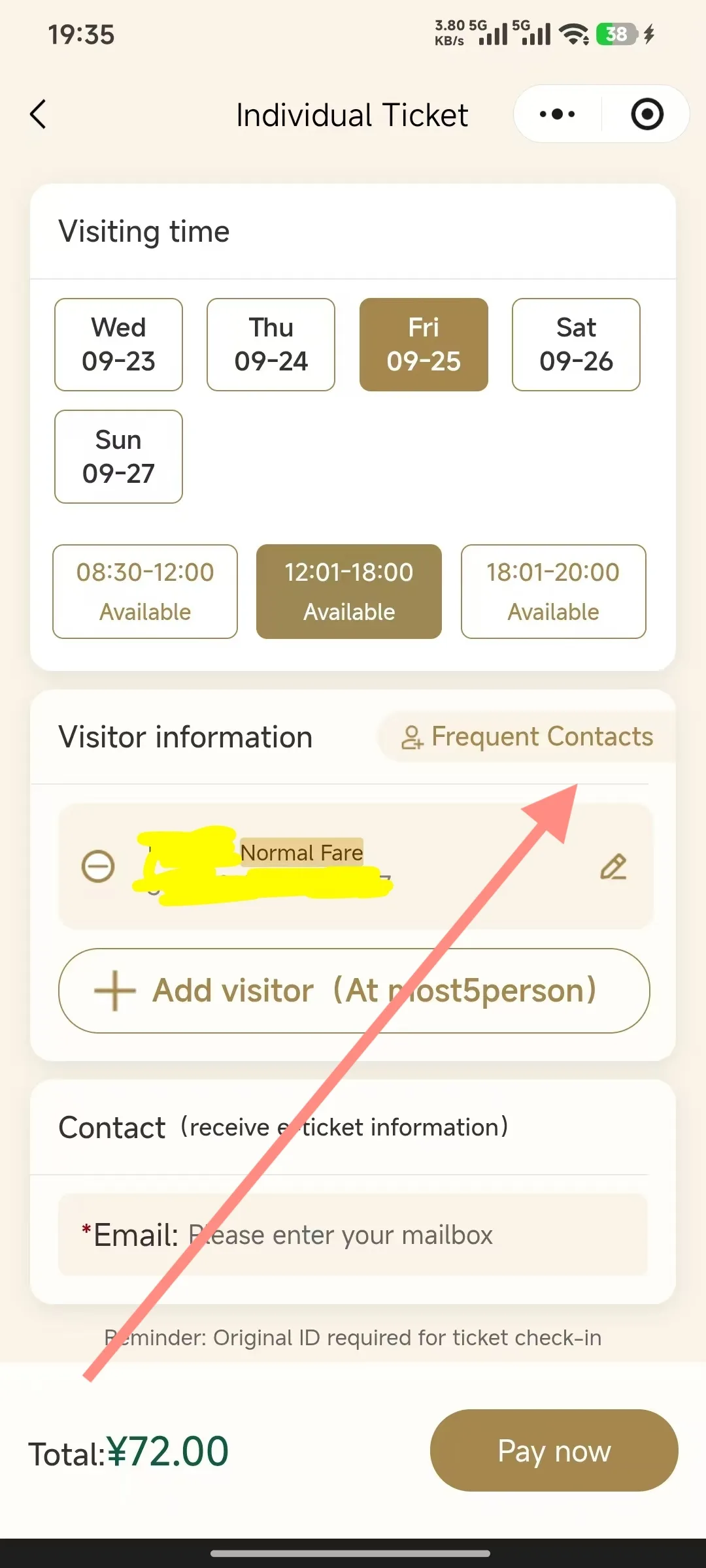
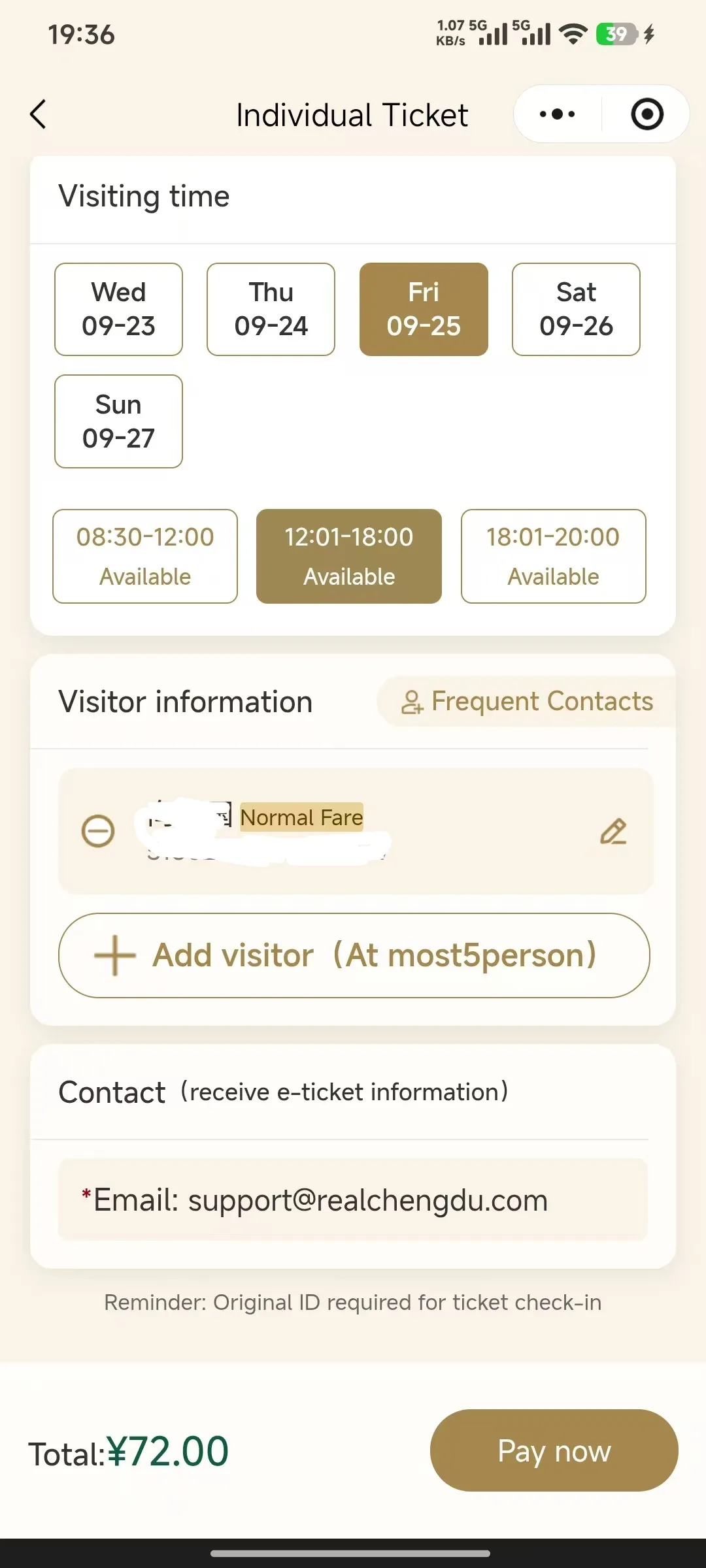
In the Visiting time section, first choose the date you're visiting (they're listed as day of the week + date, like Fri 09-25), then choose your entry slot:
- 08:30–12:00 (morning slot — Available)
- 12:01–18:00 (afternoon slot — Available)
- 18:01–20:00 (evening slot, only on certain dates)
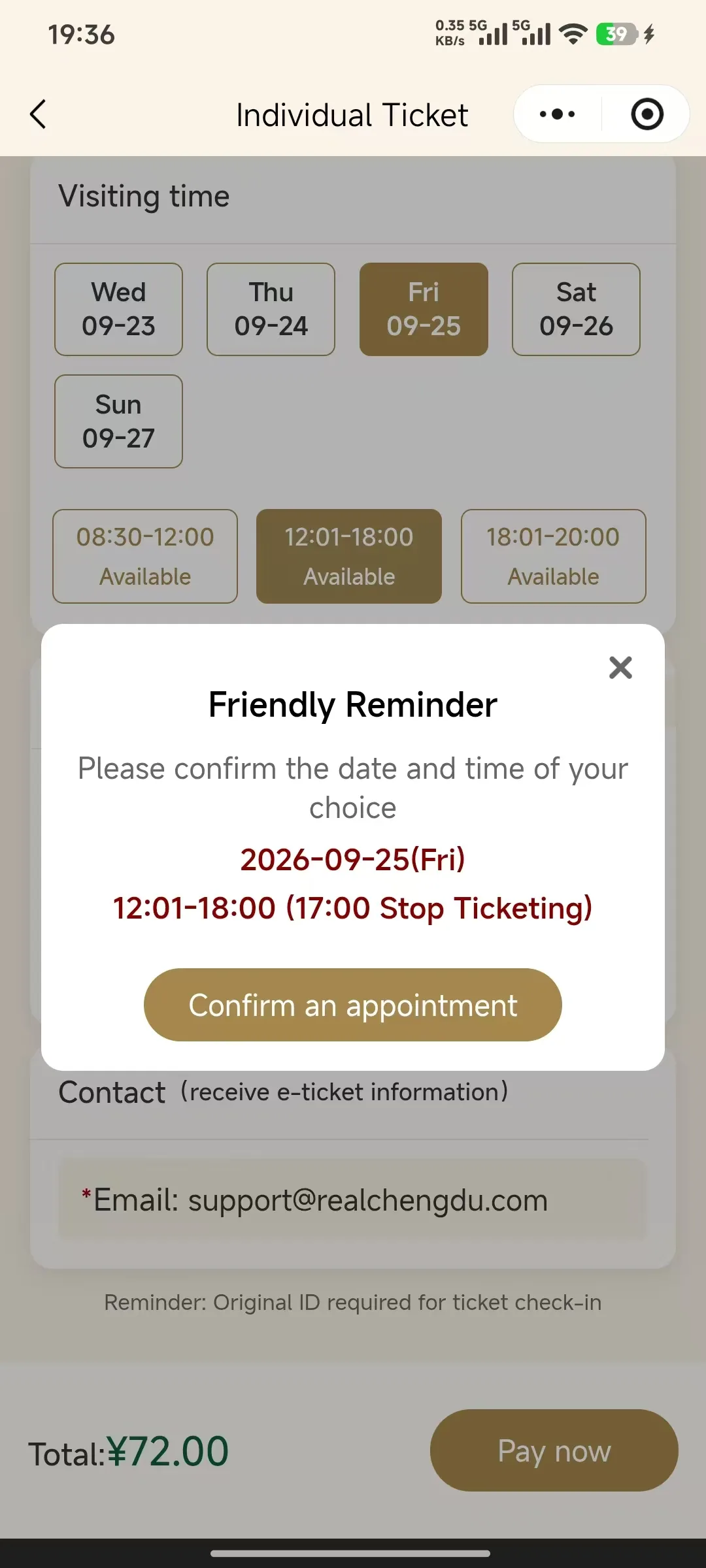
Once you've made your choices, a Friendly Reminder pops up to confirm the date and time slot — note the "17:00 Stop Ticketing" on it, so even if you're on the afternoon slot, make sure you're inside before 17:00. If everything looks right, click "Confirm an appointment".
Step 5 — Add your visitors and fill in the email
Under Visitor information, click "Add visitor (At most 5 person)" and enter each visitor's name (exactly as it appears on their passport), then choose Passport as the ID type and enter the passport number. The "Frequent Contacts" button in the top right lets you save contacts you use often, so you can just pick them next time you book.
Then under Contact, enter the email address that will receive the e-ticket (*Email, required). Lower down the page you'll see "Reminder: Original ID required for ticket check-in" (you need to show the original ID to get in). Double-check the Total: ¥72.00, then click "Pay now" in the bottom right.
Step 6 — WeChat Pay
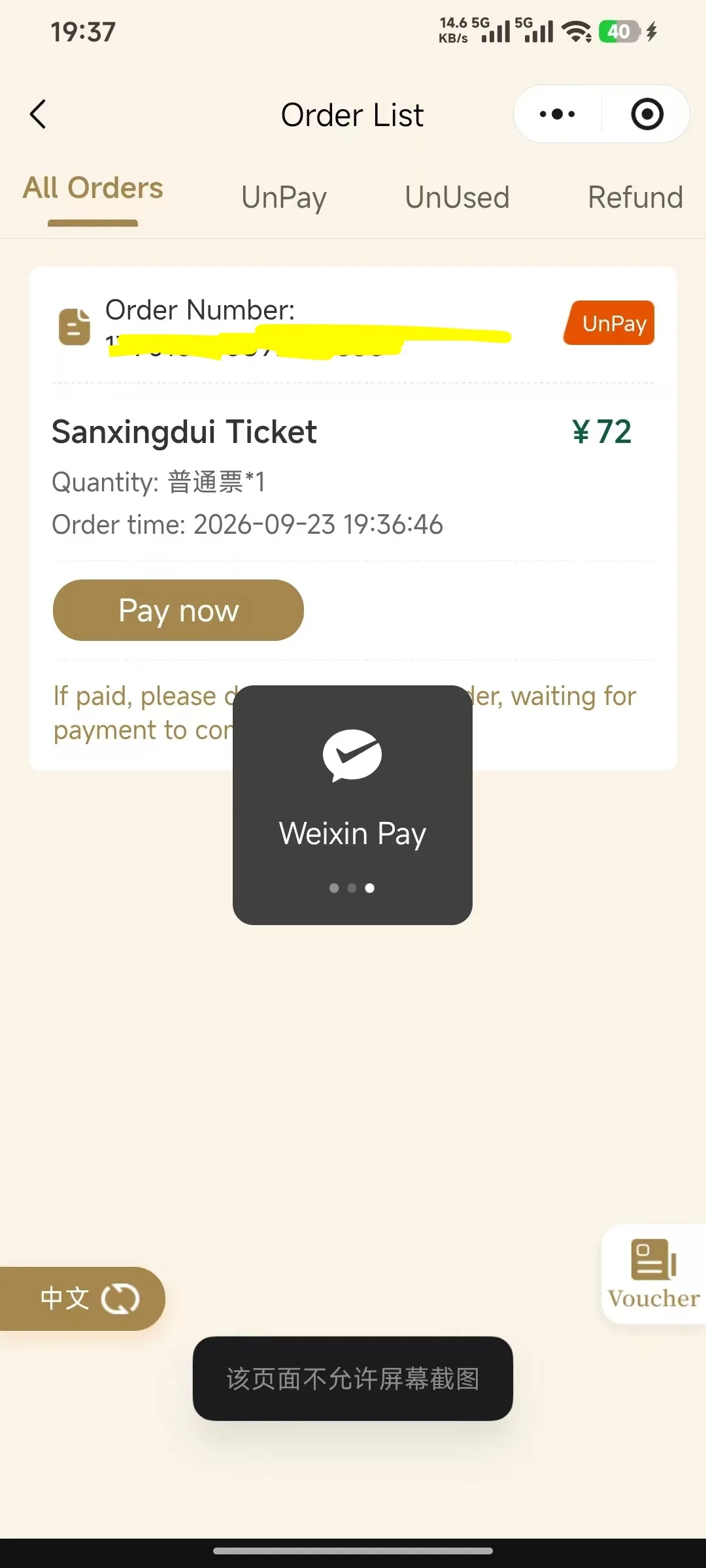
After you click Pay now, Weixin Pay will pop up. If your phone says "Screenshots aren't allowed on this page" and the screenshot fails, that's just a security setting in WeChat Pay — totally normal. Just follow the prompts to finish paying.
Step 7 — Check Your Order Status
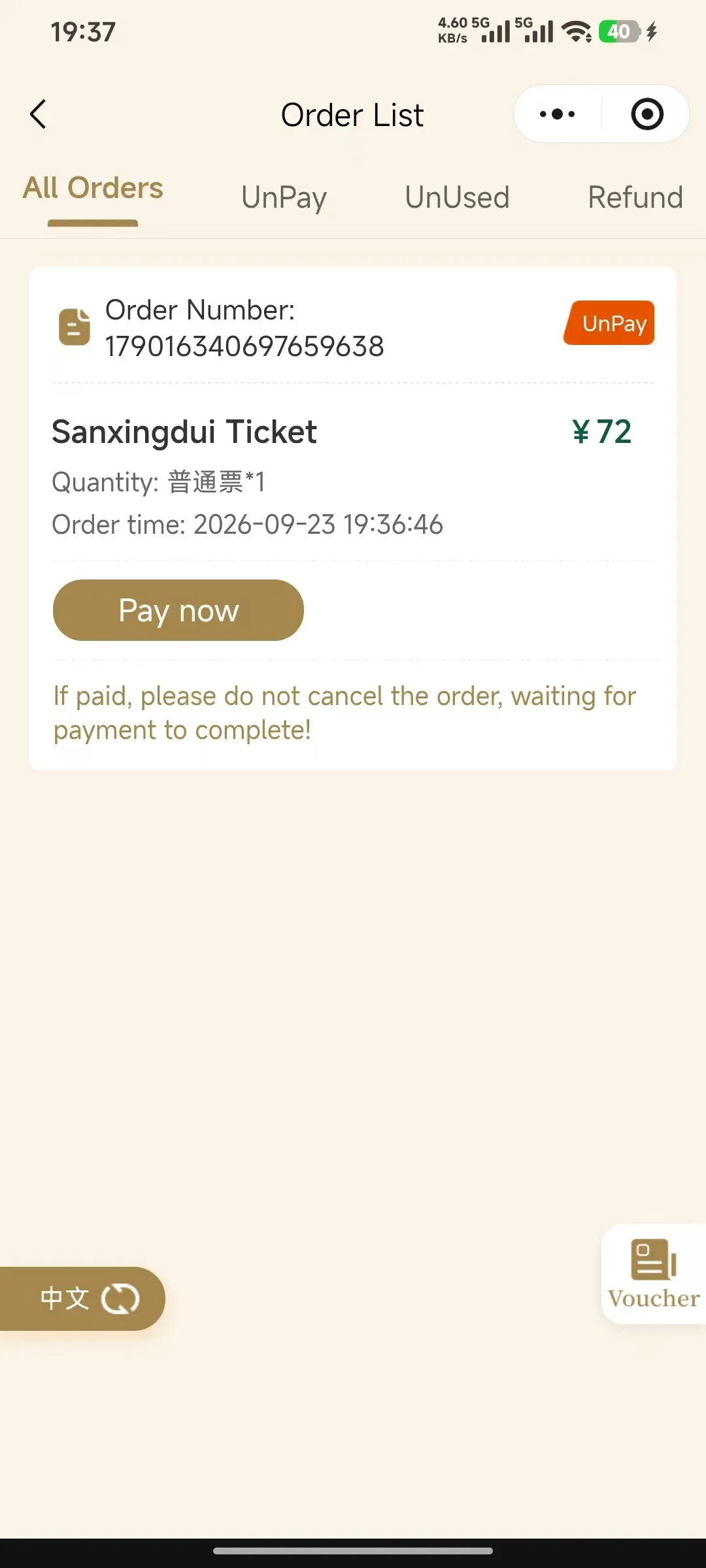
Once you've paid, go to Order List to see the status:
- Four tabs — All Orders / UnPay / UnUsed / Refund — everything's right there at a glance;
- If you've been charged but the order still shows UnPay, don't cancel the order — just wait a little while for the payment to go through. There's a note in English at the bottom of the page too: "If paid, please do not cancel the order, waiting for payment to complete!"
A tip from Realchengdu:
No matter which channel you buy your ticket through, here are the rules for getting in:
- ID: You'll need the original passport you registered when booking to get through the gate — copies or photos basically won't work;
- Timing: Enter within the time slot you picked; ticket checks stop at 17:00 at the latest;
- Finding your ticket: Mini Program purchases show up under the UnUsed tab; if you bought on the official website, check the email you registered with;
Practical tips: (1) Both channels draw from the same ticket pool, so just use whichever is easier — foreign visitors who already have WeChat should go with the Mini Program (no captcha, way less hassle);
(2) Tickets get tight on weekends, holidays, and school breaks, so grab yours as soon as they go on sale;
(3) Mornings are quieter and make for a nicer visit;
(4) Need help? Call 0838-5533333. Live staff are available 08:30–18:00.

Other places to book
- Trip.com
- Klook
- Viator
- Tripadvisor
These third-party sites may tack on a service fee on top of the ticket price, so compare prices and pick whichever works best for you.
Screenshots taken September 23, 2026 from the Sanxingdui Museum's official ticketing system (guanwang.sxd.cn) and official WeChat mini program. Ticket prices and policies may change, so always go by the official latest info. This guide was written by realchengdu and is not affiliated with the Sanxingdui Museum.